
In this article, you’ll learn step-by-step how to create a Least Common Multiple calculator. By clicking the button, you can download a dedicated Excel workbook to calculate this value whenever you like.
How does the least common multiple work? Essentially, it’s the value that represents the smallest common multiple of several values entered into a file. In this case, the smallest value is the common multiple of the entered values.
Be careful not to confuse this value with the greatest common divisor, which is instead the largest possible value that divides the integers.
How to Calculate It
Let’s look at a simple example using the numbers 4, 9, and 16. We need to factor them individually:
4 is broken down as 2^2 — 9 is broken down as 3^2 — 16 first becomes 4^2 and then finally 2^4.
The rule requires us to take the prime factors with the highest exponent we find. So for the number 2, we exclude 2^2 and take 2^4. For the number 3, we take 3^2. Consequently, the result would be:
LCM = 2^4 * 3^2 = 16 * 9 = 144
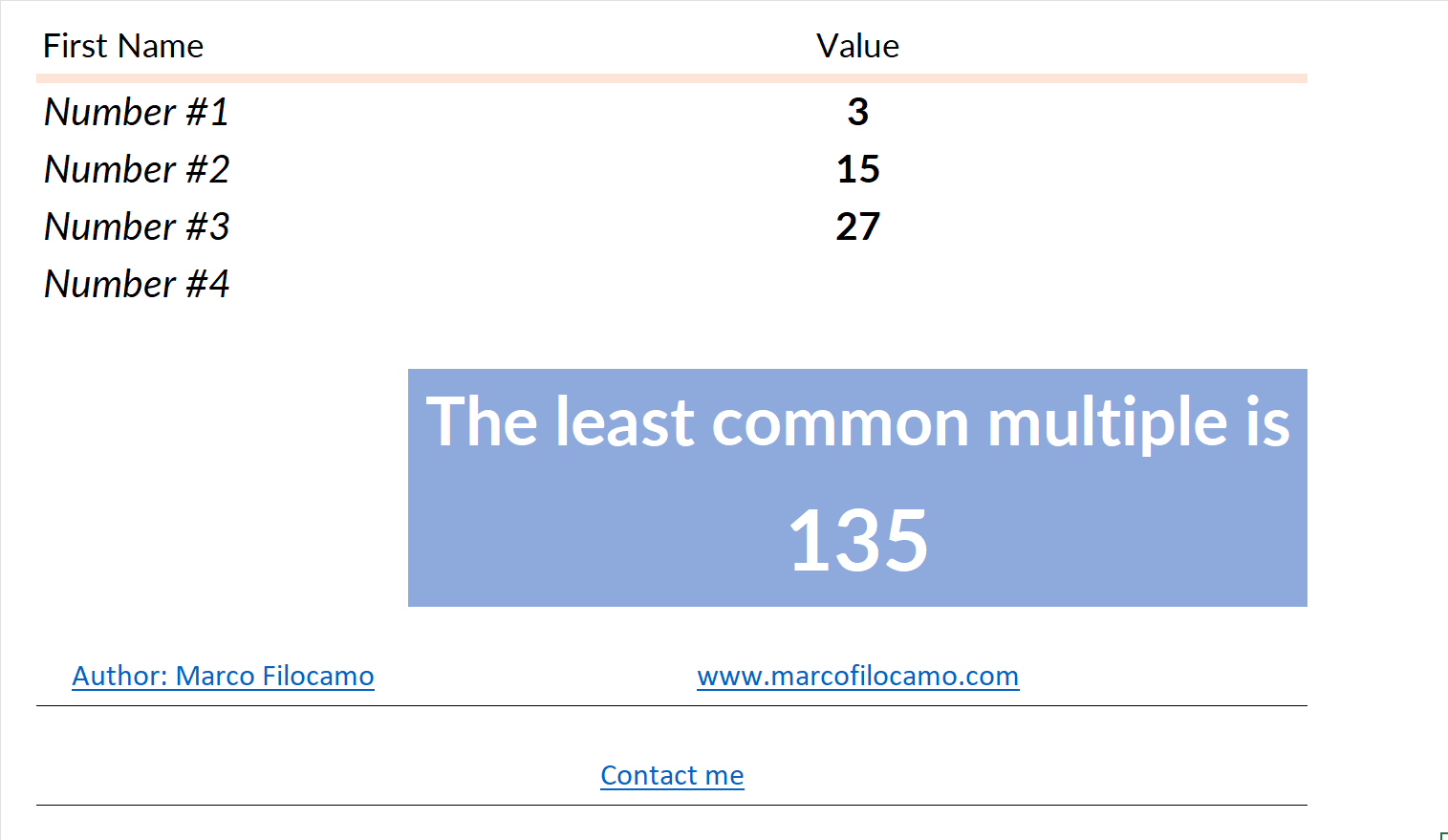
Let’s try another example with the numbers 3, 15, and 27. Again, we need to factor them individually:
3 remains 3 — 15 becomes 3*5 — 27 becomes 3^3
The same rules apply as before, so for 3 we’ll take 3^3 and multiply this number by 5:
LCM = 3^3 * 5 = 135
LCM or least common multiple
Fortunately, Microsoft Excel has the LCM function, which greatly speeds up this calculation. Simply enter the values to effortlessly find the least common multiple. Using the previous example, we can create a least common multiple calculator using this specific function:
= LCM(3,5,17)
The function significantly speeds up calculations that would otherwise be complex, as they would require breaking down each individual number into several parts. Note that the function handles empty cells without any issues, so you can use it on an entire column of values without any problems.
Conclusion
The least common multiple is found by breaking each number down into prime factors and multiplying the factors with the highest exponents. In Excel, the LCM function does the same calculation for you in one step.
You can download the file for this calculation by clicking the button below.